
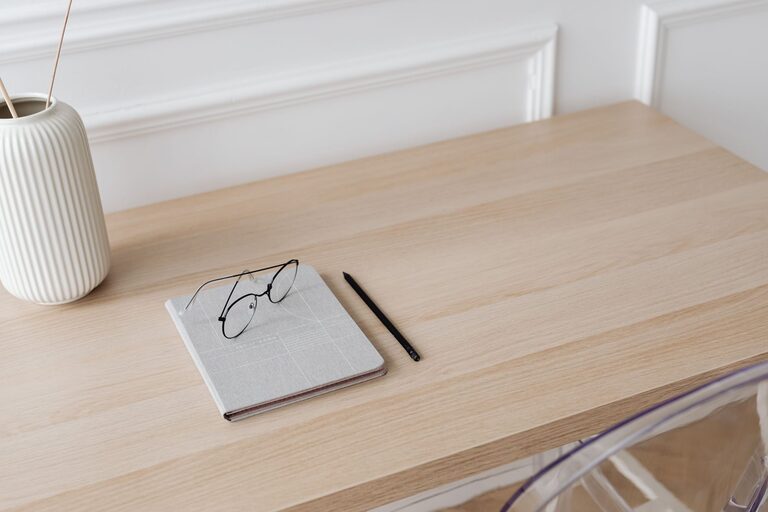
Creating a relaxing home workspace is essential for maintaining focus, reducing stress, and improving overall productivity. Whether you work remotely full-time or need a dedicated space for occasional tasks, a thoughtfully designed workspace helps you stay motivated and comfortable. In this guide, we’ll explore practical tips to transform any corner of your home into a tranquil, efficient workspace.
Why a Relaxing Workspace Matters
A cluttered or noisy environment can easily distract you from your work. Conversely, a space that feels calm and organized encourages concentration and creativity. When your workspace promotes relaxation, you’re more likely to enjoy your tasks and maintain better work habits.
Choose the Right Location
Find a Quiet Spot
Select a location in your home that experiences minimal noise and interruptions. This might be a spare room, a nook in the living room, or even a section of your bedroom. The key is to find a place where you can focus without frequent distractions.
Maximize Natural Light
Natural light has a positive effect on your mood and energy. Position your desk near a window if possible to take advantage of daylight. If natural light is limited, invest in adjustable lighting that mimics daylight to keep your space bright and inviting.
Invest in Comfortable Furniture
Ergonomic Chair
A supportive chair with adjustable height and good back support is crucial to prevent discomfort during long hours of work. Look for chairs with cushioning and breathable materials.
Functional Desk
Choose a desk that suits your needs in terms of size and storage. A clean surface with enough room for your computer, notebooks, and other essentials helps keep distractions at bay.
Consider Standing Options
If sitting for extended periods isn’t comfortable, consider a sit-stand desk or adjustable desk converter. Alternating between sitting and standing can reduce fatigue.
Organize Your Workspace
Declutter Regularly
A tidy workspace promotes calmness. Make it a habit to clear your desk at the end of each day, putting away unnecessary items and sorting paperwork.
Use Storage Solutions
Incorporate shelves, drawers, or organizers to keep supplies, documents, and gadgets neatly stored but within reach. Labeling containers can help you find what you need quickly.
Manage Cables
Tangled cords can add visual stress. Use cable organizers, clips, or sleeves to keep wires tidy and out of sight.
Personalize with Calming Elements
Add Greenery
Plants not only improve air quality but also create a soothing atmosphere. Choose low-maintenance plants like succulents or snake plants to brighten your workspace.
Choose Soothing Colors
Soft, neutral colors such as light blues, greens, or earth tones can reduce stress and foster focus. You can incorporate these colors through paint, accessories, or desk items.
Include Personal Touches
Incorporate items that bring you joy or inspiration, such as artwork, motivational quotes, or photos. Just be careful not to overcrowd your space.
Control Noise and Distractions
Use Noise-Canceling Headphones
If you can’t eliminate background noise, noise-canceling headphones or earbuds can help create a quiet environment, allowing you to concentrate better.
Play Relaxing Sounds
For some, gentle background sounds like white noise, nature sounds, or soft instrumental music can enhance relaxation and focus.
Establish a Routine
Set Clear Work Hours
Define your work schedule to create boundaries between work and personal time. This helps your mind associate the workspace with productivity.
Take Regular Breaks
Incorporate short breaks to stretch, hydrate, and rest your eyes. A relaxed workspace encourages you to listen to your body and recharge.
Maintain Good Air Quality
Ventilation
Good airflow keeps the air fresh and prevents stuffiness. If possible, open windows regularly or use an air purifier.
Avoid Strong Scents
While a light, pleasant scent can be relaxing, strong odors might be distracting or irritating. Choose unscented or mildly scented products if you wish to include them.
Keep Technology User-Friendly
Reliable Equipment
Invest in a good-quality computer, mouse, and keyboard that suit your work style. Comfortable and efficient tech reduces frustration.
Manage Notifications
Limit digital distractions by customizing notification settings and using apps that help you focus during work sessions.
—
By following these tips, you can create a home workspace that feels relaxing and supports your productivity. Remember, the goal is to design a space that helps you feel calm, comfortable, and motivated to do your best work every day. Take time to customize your area, and don’t hesitate to make adjustments as your needs evolve. A peaceful workspace is an investment in your well-being and professional success.